Convert folders to ISO without turning it into a project
Batch ISO Creator is a Windows app for people who need folder-to-ISO output that looks clean at the end: one folder or many folders, standard ISO images, rename rules, progress, logs, and pricing that makes sense for a real workday.
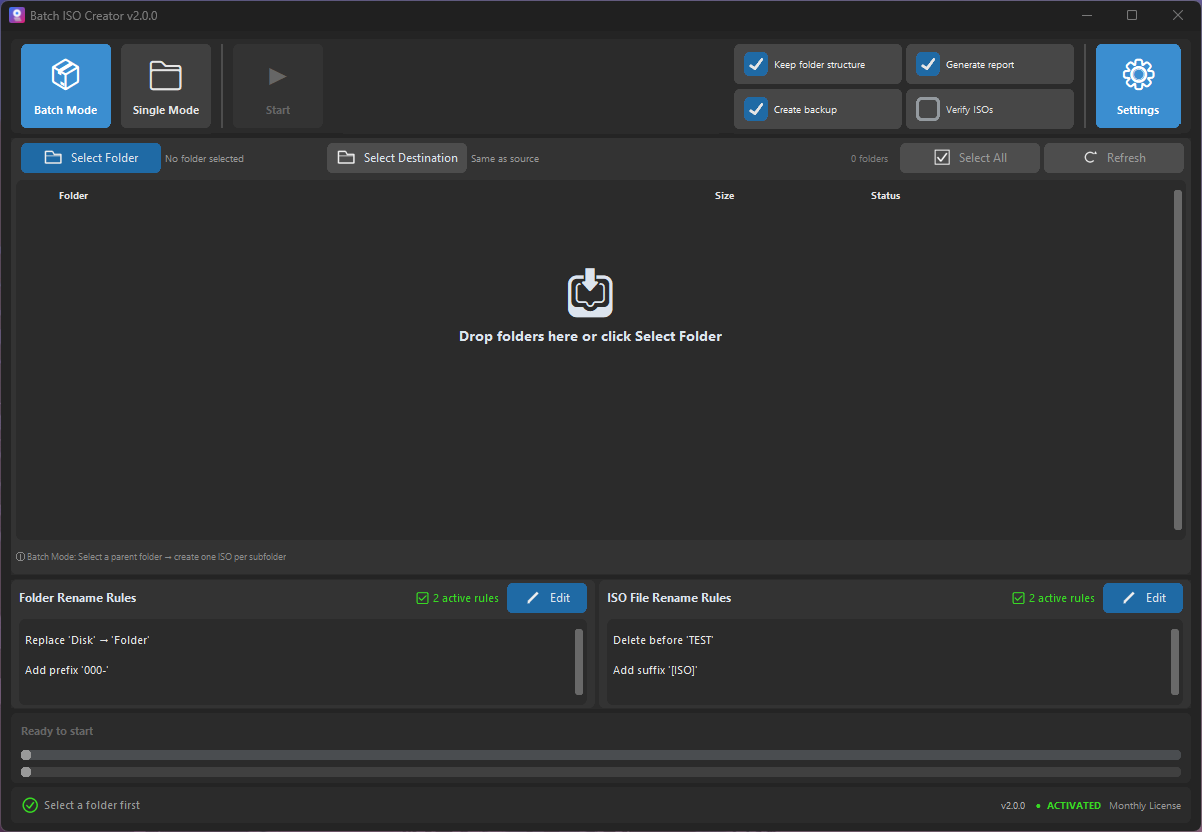
A folder-to-ISO workflow that fits the way people actually work
The painful part is rarely creating one ISO. The painful part is creating enough ISO files that naming, repetition, and checking the output become a time sink.
Folder Mode jobs
Need one ISO right now? Use Folder Mode, choose the source folder, set the destination, and create a standard ISO image.
Folder libraries
Have a parent folder full of projects, releases, training packs, or archives? Batch Mode turns each folder into its own ISO.
Clean deliverables
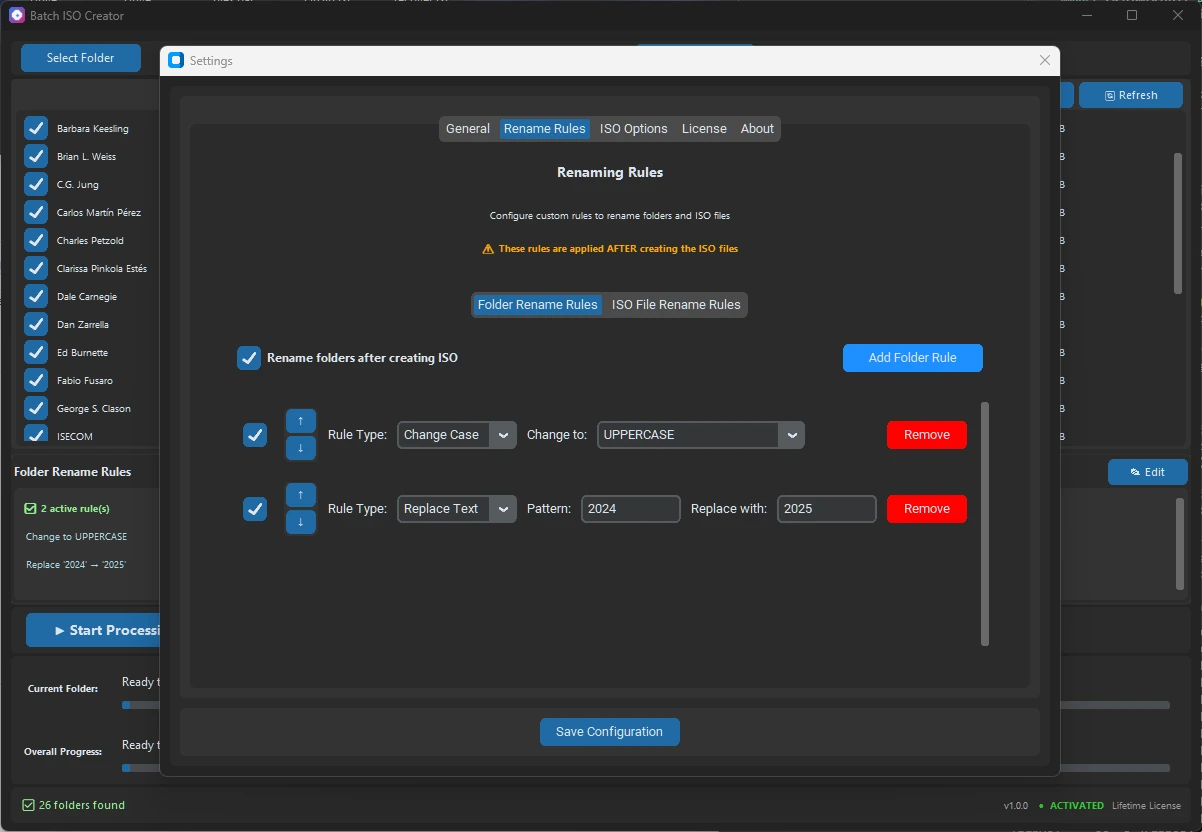
Use replace rules, case cleanup, regex, prefixes, and suffixes so the final ISO folder looks organized.
Why choose Batch ISO Creator over a generic ISO utility?
Generic ISO tools are useful when you need to edit images, burn discs, or convert unusual formats. Batch ISO Creator is narrower on purpose. It focuses on the commercial workflow that gets repetitive fast: Windows folders to ISO files, with clean output and less manual cleanup.
| Need | What Batch ISO Creator gives you |
|---|---|
| Many folders | Batch processing designed around folder sets. |
| Readable ISO names | Rename rules before generation instead of manual fixes after. |
| Confidence after the run | Progress, logs, and reports for professional workflows. |
| Simple buying decision | Free mode includes ISO Mounting and 1 ISO per session; a license unlocks unlimited creation and ISO Library. |
Common uses
Batch ISO Creator is strongest when an ISO is more than a quick file. It becomes a package, archive, or deliverable someone needs to open later with Windows, a VM, or another ISO tool.
IT toolkits
Package offline installers, drivers, utilities, and support bundles as standard ISO files.
Software archives
Convert release folders into ISO snapshots that are easier to store, search, and open later.
Training material
Turn course folders, lab files, and documentation bundles into clean ISO deliverables.
Make your next folder-to-ISO job cleaner
Download Batch ISO Creator, test the free mode, and use a license when you need unlimited processing or ISO Library.
Keep reading
These guides help compare the workflow against other familiar ISO tools.
Batch folder to ISO
See the dedicated workflow for many folders at once.
Folder2ISO alternative
When a tiny utility is no longer enough for the job.
ImgBurn alternative
Keep ImgBurn for classic tasks and use Batch ISO Creator for folder batches.
Create ISO from multiple folders
A practical guide for preparing and running a folder batch.