Batch ISO Creator
Batch convert folders to ISO on Windows 10/11 and standardize filenames with powerful rename rules. Drag and drop, apply regex, and generate hundreds of ISO images with logs in minutes.
* Free mode includes ISO mounting and 1 ISO creation per app session. A license unlocks unlimited ISO creation and ISO Library. Unlock full version
Key Features
Batch ISO creation plus advanced renaming for clean, consistent output.
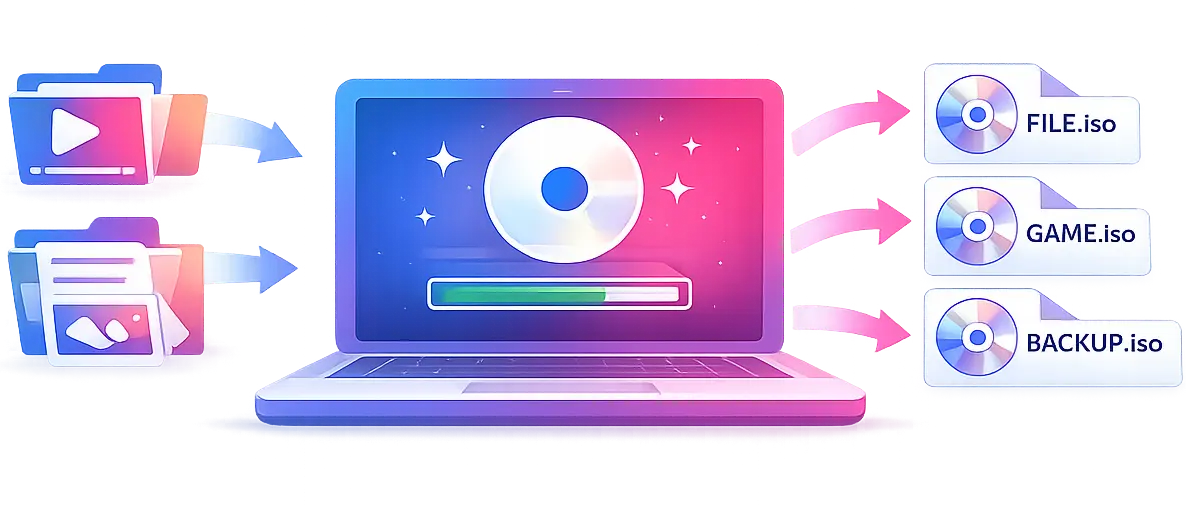
Batch Folder-to-ISO Conversion
Convert multiple folders to ISO images in one run. Each subfolder becomes its own ISO file for fast, repeatable workflows.
Advanced Rename Rules
The key differentiator: apply prefixes, suffixes, case changes, and regex replacements to keep ISO names clean and consistent.
ISO 9660 + Joliet/Rock Ridge
Generate standard ISO 9660 images with optional Joliet and Rock Ridge for long filenames and broad compatibility.
High-Speed Batch Processing
Process large folder sets quickly with optimized batch performance and minimal wait time.
Folder & Batch Modes + Drag & Drop
Process one folder in Folder Mode or many folders in Batch Mode. Drag and drop folders to start instantly.
ISO Mounting
Mount, open, and unmount ISO images directly from Batch ISO Creator. ISO Mounting is available in the free mode.
ISO Library
Keep ISO files in a persistent library, check mounted status, open mounted drives, and clean missing entries when needed. ISO Library is part of the licensed workflow.
7 Themes
Choose from 7 built-in themes, including light, dark, color variants, and Batch ISO Creator brand themes.
15 Languages
Interface available in 15 languages, including English, Spanish, German, French, Portuguese, and more.
Batch ISO Creator for Windows
Built for Bulk ISO Workflows
Convert multiple folders to ISO files in one run and standardize filenames with advanced rename rules. Start fast with drag and drop and keep output consistent.
Reliable, Standard Output
Powered by mkisofs, it generates ISO 9660 images with optional Joliet and Rock Ridge. This keeps long filenames intact and ensures compatibility with Windows, Linux, macOS.
Made for Real Work
Ideal for backups, software distribution, lab images, and archives. Logs, reports, and powerful rename rules make every ISO traceable and consistent.
Gallery
See Batch ISO Creator in action
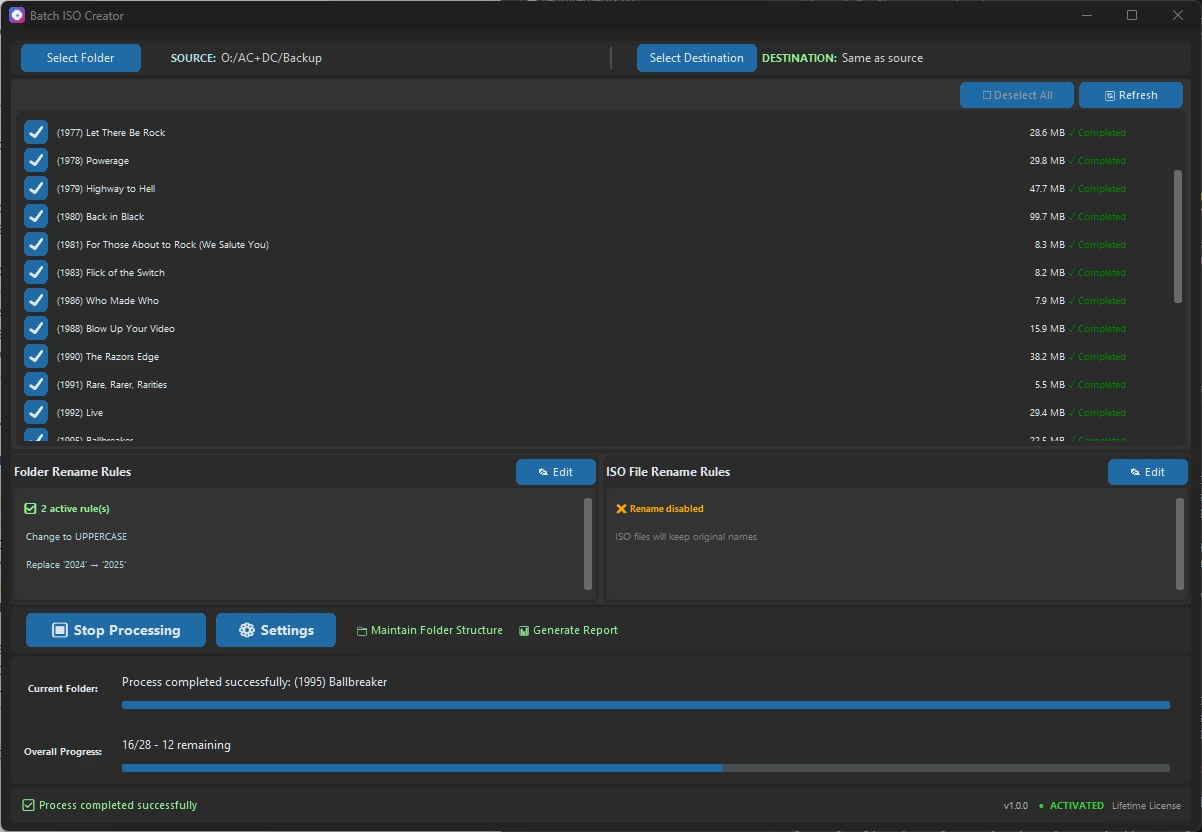
Progress Tracking
Real-time progress monitoring with detailed status information and completion estimates
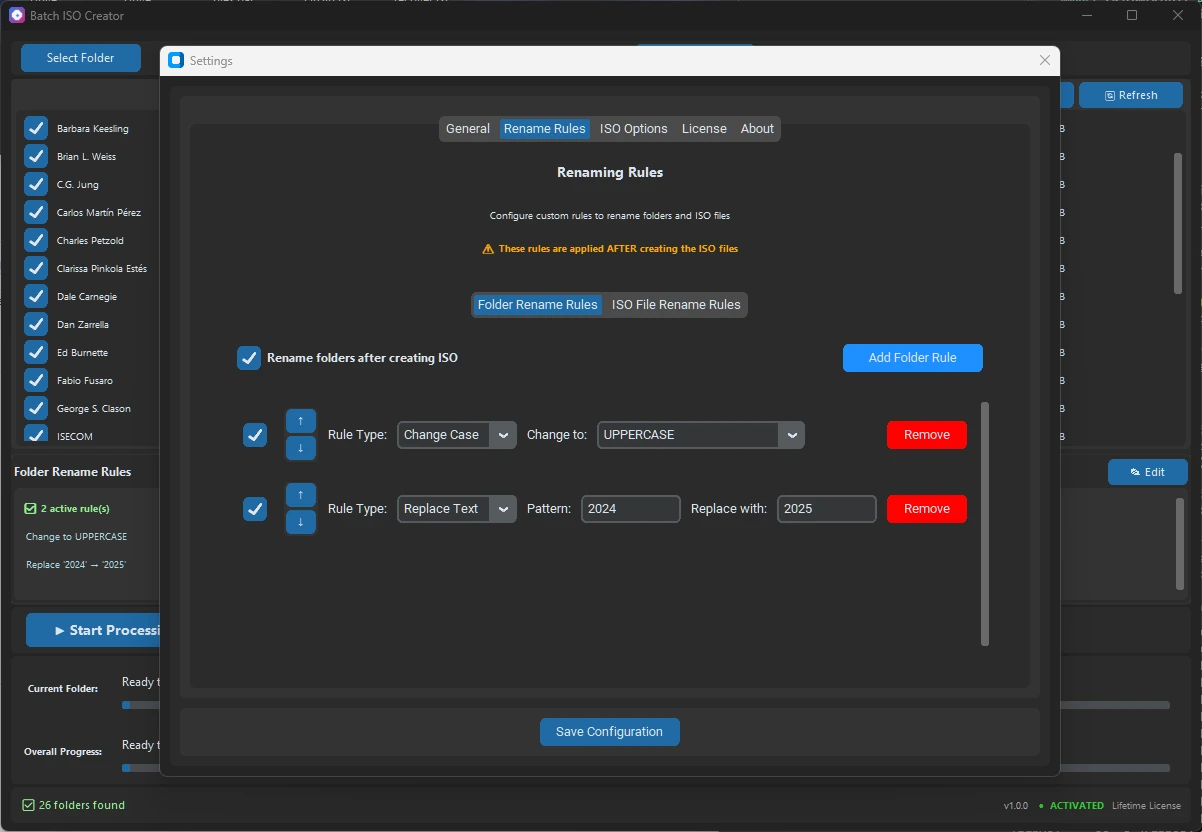
Renaming Rules
Configure automatic file renaming patterns and variables for organized ISO output files
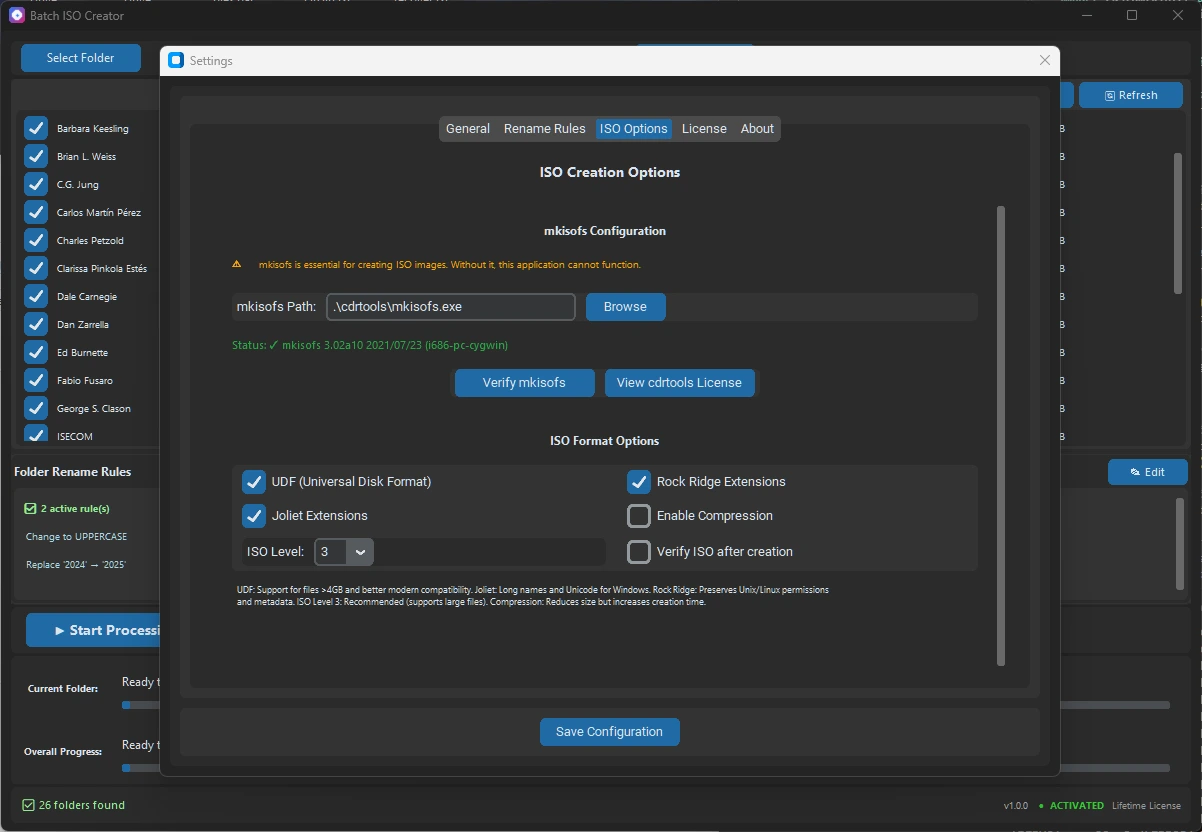
ISO Configuration
Advanced ISO settings and configuration options for optimal output quality and compatibility
Choose Your License
Start free, then unlock unlimited ISO creation and ISO Library when your workflow grows.
Start Free
Mount ISO images for free and create 1 ISO per app session. Upgrade only when you need unlimited ISO creation and ISO Library.
- Free ISO Mounting
- 1 ISO per app session
- Batch Mode and Folder Mode
- No license required
Monthly License
per month
- Complete functionality
- License for 1 computer
- Cancel anytime
Annual License
per year
- Complete functionality
- Updates included for 1 year
- License for 1 computer
- Cancel anytime
Lifetime License
one-time payment
- Complete functionality
- Lifetime updates included
- Priority support
- License for 1 computer
Feature comparison by plan
A table view to compare what the free mode and each license include.
| Feature | Free Mode | Monthly | Annual | Lifetime |
|---|---|---|---|---|
| ISO creation | 1 ISO per session | Unlimited | Unlimited | Unlimited |
| Batch Mode | 1 folder per session | Unlimited | Unlimited | Unlimited |
| Folder Mode | 1 folder per session | Unlimited | Unlimited | Unlimited |
| Renaming rules | ✓ | ✓ | ✓ | ✓ |
| ISO Mounting | ✓ | ✓ | ✓ | ✓ |
| ISO Library | × | ✓ | ✓ | ✓ |
| Reports and logs | ✓ | ✓ | ✓ | ✓ |
| Updates | ✓ | ✓ | ✓ | ✓ |
| Support | Documentation | Standard support | Standard support | Priority support |
| Computer license | No license required | 1 computer | 1 computer | 3 computers |
| Get started | Try free | Buy Monthly | Buy Annual | Buy Lifetime |
Download
Get started with Batch ISO Creator today
Batch ISO Creator for Windows
Frequently Asked Questions
Everything you need to know about Batch ISO Creator
Batch ISO Creator converts folders to ISO files by creating standard ISO 9660 images. Simply select your source folder and the tool will convert each subfolder to a separate ISO file. All file types are supported - documents, images, videos, executables, and archives. The converted ISO files work on all operating systems and virtual machines.
There's no artificial limit - you can process hundreds or even thousands of folders in a single batch operation. The only practical limitations are your available disk space and system memory. Each subfolder in your source directory becomes a separate ISO file, making it perfect for bulk archiving projects.
Yes! Batch ISO Creator includes powerful rename features: convert to lowercase/uppercase, replace characters or words with regex patterns, remove unwanted characters, and apply consistent formatting rules. You can also add prefixes, suffixes, or completely restructure filenames using advanced pattern matching.
Batch ISO Creator works mostly offline after initial activation. Internet connection is required during license activation and periodic license validation checks. Between validations, you can use all features without connectivity. The validation frequency depends on your license type and helps ensure software integrity.
All plans include the complete functionality. Monthly is perfect for short-term projects, Annual offers the best value for regular users, and Lifetime includes priority support plus all future updates forever. Each license works on one computer and can be transferred between your devices.
Yes. Batch ISO Creator can mount, open, and unmount ISO images directly from the app on Windows. ISO Mounting is free, and generated ISO files remain standard ISO images that also work with Windows, macOS, Linux, virtual machines, and other ISO tools.
Batch ISO Creator includes a free mode. You can mount ISO images for free and create 1 ISO per app session in Batch Mode or Folder Mode. A paid license unlocks unlimited ISO creation, ISO Library, and the full professional workflow.
Yes. You can install Batch ISO Creator and use the free mode right away: mount ISO images and create 1 ISO per app session. A license is only required for unlimited ISO creation, ISO Library, and the full workflow.
If your license expires, the app returns to free mode. You can still mount ISO images and create 1 ISO per app session, but unlimited ISO creation and ISO Library require an active license.
Trusted by Users Worldwide
See what the community says about Batch ISO Creator




Solutions for folder-to-ISO workflows
Folder to ISO Converter
Start here if you want the fastest explanation of how Batch ISO Creator turns Windows folders into clean ISO files.
Batch Folder to ISO
Built for folder libraries, release sets, offline kits, and archive jobs where one ISO at a time is too slow.
ISO Creator for Windows
A focused Windows 10/11 ISO creator with rename rules, logs, and standard output for real work.